Have you ever wondered how websites know where you're browsing from? Or how someone can track when you click on a link? This guide explains IP tracking in simple, everyday language.
IP Tracking Process Flow
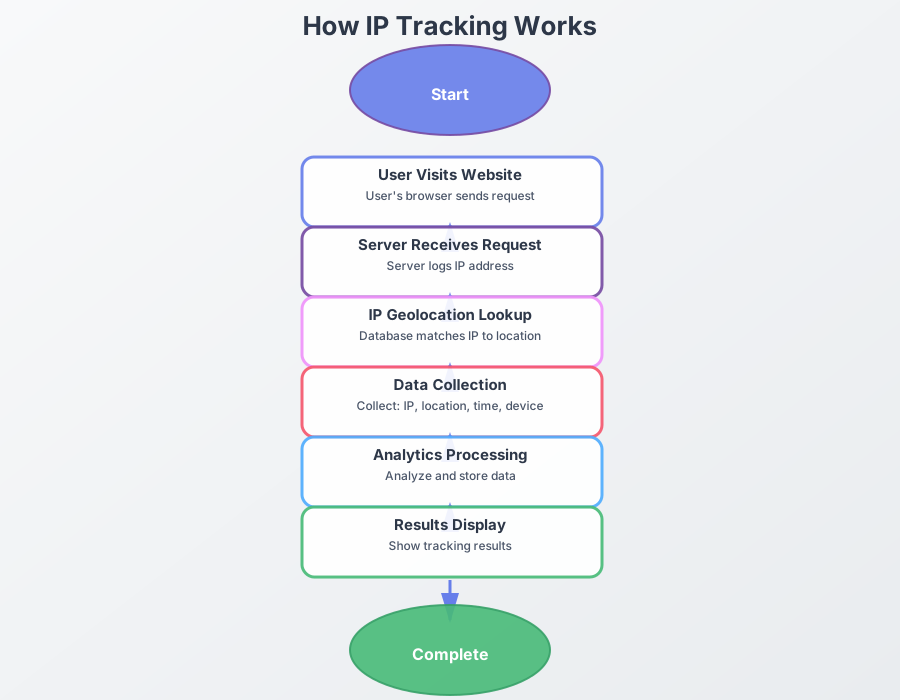
Interactive Flow Diagram
What is IP Tracking?
IP tracking is like a digital postmark. When you visit a website, your device automatically sends its "address" (called an IP address) to that website. The website can then use this address to figure out roughly where you are located.
Simple explanation:
- An IP address is like a digital address label
- Each time you visit a website, your device shares that label with the server
- The site can use it to estimate your city or region
- But it does not reveal your exact street address or your real name
How Does It Work?
Here's the simple process:
- You visit a website: When you type a website address, your browser sends a request.
- Your IP is included: This request includes your IP address automatically.
- The website receives it: The website's server gets your request and records your IP.
- Location is found: The website looks up your IP in a database to find your approximate location (usually city-level).
What Can You Do With IP Tracking?
1. Track Link Clicks
Track link clicks
You can create special links that tell you when someone clicks them:
- See who clicked on your link
- Find out where they're located
- Know what device they used
- See when they clicked
2. Track Email Opens
Track email opens
You can add a tiny invisible image to emails that tells you when someone opens your email:
- Know when your email was opened
- See the location of the person who opened it
- Find out what device they used
3. See Website Visitors
Track website visitors
If you have a website, you can see information about your visitors:
- Where they're from (city/country)
- What device they're using
- What browser they're using
- When they visited
How to Use IP Tracking
Using IP tracking is simple:
Simple steps:
- Choose a tool: Use a free service like WhatsTheirIP.tech
- Create a tracking link: Generate a special link
- Share the link: Send it to someone
- View results: Check the dashboard to see the information
What Information Can You See?
When you track someone's IP, you can typically see:
- Location: City and country (usually accurate to the city level)
- Device: What type of device they're using
- Browser: What web browser they're using
- Time: When they clicked or visited
Important note
IP tracking shows approximate location, not exact address. It can't tell you:
- Your exact street address
- Your name or personal identity
- What you're doing on your device
Privacy and Ethics
It's important to use IP tracking responsibly:
- Be transparent: Let people know if you're tracking them
- Respect privacy: Don't use tracking for harmful purposes
- Follow laws: Make sure you're following privacy laws
Common Questions
Common questions
Q: Is IP tracking legal?
A: Yes, IP tracking is generally legal when used for legitimate purposes. Always respect privacy laws.
Q: How accurate is IP tracking?
A: IP tracking is usually accurate to the city level. It's not precise enough to find someone's exact address.
Q: Do I need technical skills?
A: No! Tools like WhatsTheirIP.tech make it easy for anyone to use.
Getting Started
Free IP tracking tools
- Completely free to use
- No signup required
- Easy to use
- Real-time tracking results